
Knowing how to send a professional invoice is one of the simplest ways to protect your income, and one of the most overlooked. You can do excellent work, delight a client, and still wait weeks for payment because the invoice was unclear, late, or hard to act on. The work is finished, but the business has not yet been paid.
Most late payments are not about unwilling clients. They come from small points of friction: a missing reference number, a due date nobody noticed, bank details buried in a footer, or an attachment that looks like spam. Each one gives a busy client a reason to deal with it later, and later has a way of turning into next month.
This guide is written for anyone who sells their time, skills, or products: freelancers, coaches, consultants, course creators, and shop owners. We will cover what an invoice must include, a step-by-step process for sending one, how to follow up without straining the relationship, and the mistakes that most often delay payment. You will also see how Vonza brings invoicing together with the rest of your business, whether you are still comparing platforms, just getting started, or already a customer.
Why Your Invoicing Process Affects Your Cash Flow
An invoice is more than a request for money. It is the last piece of communication in a project, and it shapes how the client remembers the whole experience. A clear, well-presented invoice says that you run an organized business. A confusing one suggests the opposite, even when the work itself was excellent.
There is also a direct financial effect. For a solo business or a small team, cash flow is fragile. A single late payment can delay your own bills, postpone a purchase you planned, or force you to take on work you would rather decline. When several clients pay late at once, the pressure builds quickly. Getting paid on time is not greed. It is what keeps the business running.
Three factors decide how quickly an invoice is paid:
- Clarity: the client understands exactly what they are paying for and when.
- Speed: you send the invoice promptly and follow up on schedule.
- Ease: paying takes as few steps as possible.
Everything in this guide improves at least one of the three.
What a Professional Invoice Must Include
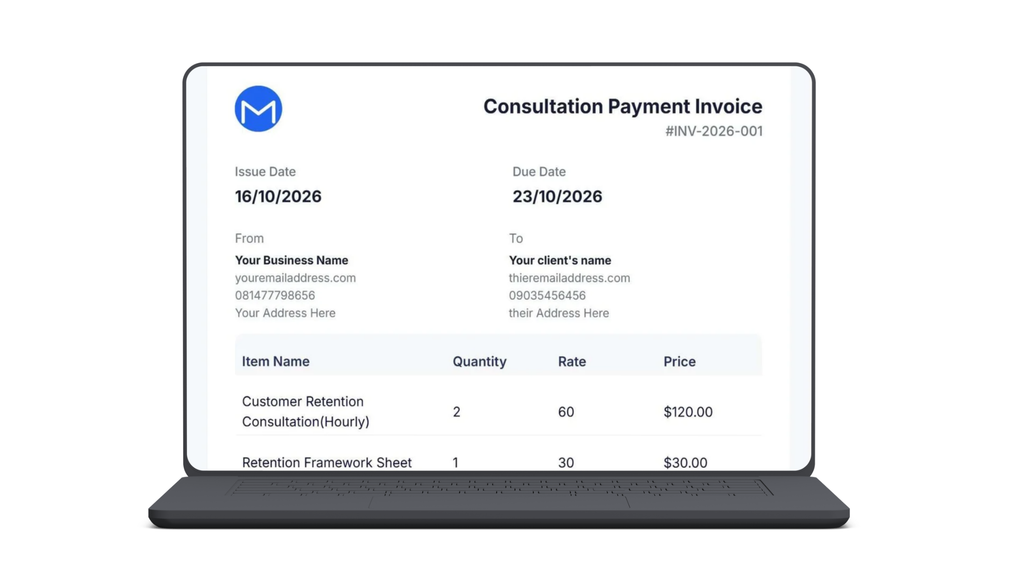
Before thinking about design or delivery, make sure the content is complete. An invoice that leaves out key details invites questions, and every question is a delay. A professional invoice should include:
- Your business details: your name or business name, address, email and phone number, plus your tax or registration number if you have one.
- Your client’s details: the full name of the person or company being billed, with the correct billing address and contact.
- A unique invoice number: a simple sequential format such as INV-0001 makes records easy to follow.
- The issue date and the due date: both written out in full, so nobody has to calculate them.
- An itemized description of the work: what you delivered, the quantity or hours, the rate, and the line total.
- The total amount due: including any taxes, discounts, or deposits already paid, clearly separated from the line items.
- Payment instructions: accepted payment methods, account details or a payment link, and the reference the client should use.
- Your payment terms: the due date, any late fee, and what the client should do if there is a problem.
- A short thank-you note: a line of appreciation costs nothing and leaves a better impression.
If you collect these details once and reuse them, each new invoice takes minutes instead of an hour. The key is to keep the format the same every time so clients know exactly where to look.
How to Send a Professional Invoice in 9 Steps
The steps below follow the life of an invoice, from the agreement that comes before it to the record you keep after it. Once you know how to send a professional invoice in this order, the process becomes routine, and routine is what gets you paid on a predictable schedule.
1. Agree on the terms before you start work
An invoice should never contain a surprise. Before any work begins, confirm the price, the scope, the payment schedule, and the due date in writing, even if that is a short email. For larger projects, take a deposit up front or split the fee into milestones. This protects you, and it makes the final invoice feel like the natural next step instead of a negotiation.
2. Use a clean, consistent layout
Clients take you more seriously when every invoice looks the same and reflects your brand. Add your logo, use one readable font, and leave plenty of white space. The amount due, the due date, and the way to pay should be visible within a few seconds. Avoid decorative design that makes the important numbers hard to find.
3. Number every invoice and keep a record
A unique invoice number helps both of you track payments, and it avoids confusion if a client asks about one particular charge. It also matters for your own bookkeeping and tax records. Keep numbers sequential, never reuse them, and store a copy of every invoice you send in one place.
4. Describe the work clearly
Replace vague lines such as “Services” with specifics: what you did, for which project, and over what dates. List quantities and unit prices so the client can see how the total was reached. The easier an invoice is to understand, the less likely it is to be questioned, and questions are where payment delays usually begin.
5. Set a clear due date and payment terms
State an actual calendar date, not only “net 14,” and say what happens if payment is late. Shorter terms, such as 7 or 14 days, are common for small projects. If you charge late fees, mention them on the invoice and in your original agreement so they are never a surprise. Terms you have already agreed to are far easier to enforce politely.
6. Make it easy to pay
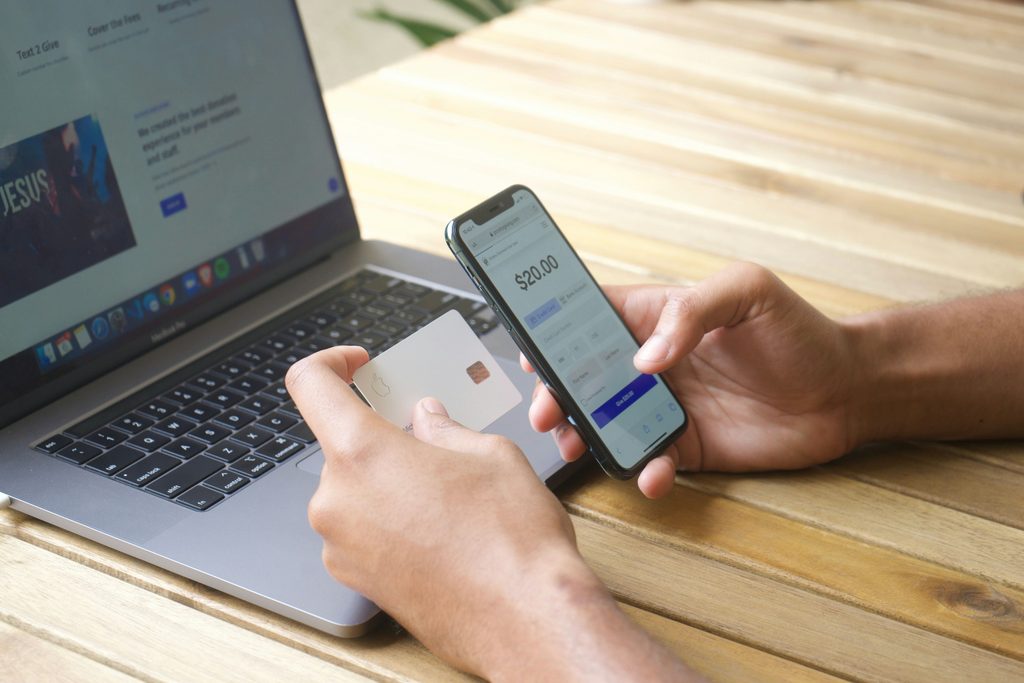
Every extra step between the client and the payment slows things down. Offer the payment methods your clients actually use, put the account details or payment link in a visible place, and include the exact reference to the quote. If a client has to search an old email for your bank details, the invoice will sit unpaid. Aim for a payment that takes under a minute.
7. Send it promptly, to the right person, with a short message
Send the invoice as soon as the work is delivered or the milestone is reached, while the value is fresh in the client’s mind. Check who actually approves payments, because it is often someone other than your day-to-day contact. In the email, keep the message brief: say what the invoice covers, the amount, the due date, and thank them for the work.
8. Confirm that it arrived
A quick note a day or two later, such as “Just checking that the invoice reached you and that you have everything you need,” catches wrong addresses and spam-folder problems early. It also shows that you keep track of your invoices, which quietly encourages clients to do the same.
9. Record the payment and say thank you
When the money arrives, mark the invoice as paid, update your records, and send a short thank-you. It closes the loop, keeps your books accurate, and leaves a good final impression, which matters if you hope to work with the client again.
Get Paid Faster After You Send a Professional Invoice
Even a perfect invoice sometimes sits unpaid. What you do next matters as much as the invoice itself, and a calm, consistent routine works better than occasional bursts of chasing.
Start by reducing risk early. Deposits and milestone payments mean you are never owed the full amount at the end of a project. A deposit of a third or a half before work starts is a normal request in many industries, and it filters out clients who are not serious.
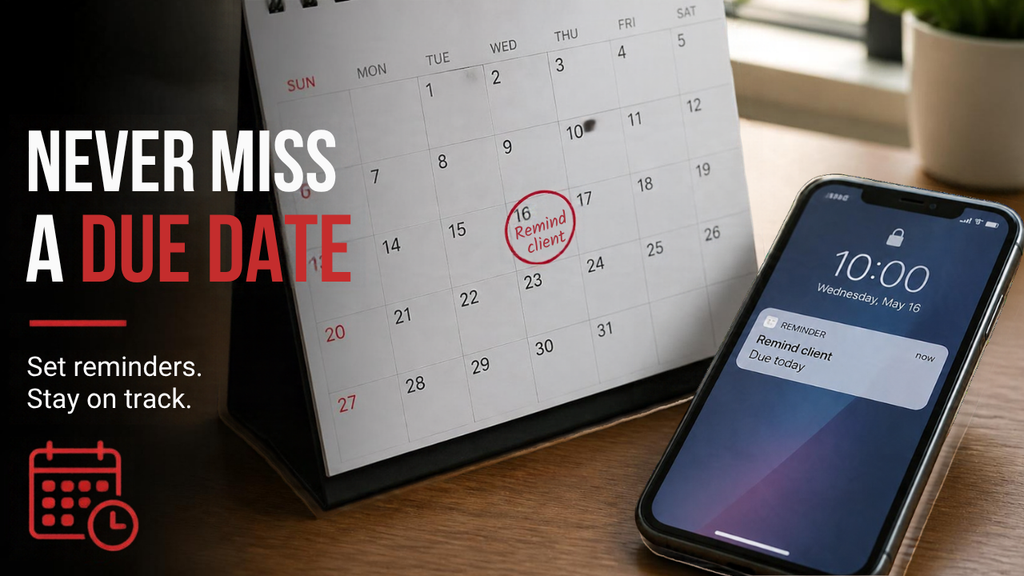
Then build a simple reminder schedule and stick to it: a friendly note a few days before the due date, another on the day it is due, and a firmer one a few days after. Keep the tone courteous and assume good faith, since most delays are oversights. A message like this is usually enough:
“Hi [Name], a quick reminder that invoice [number] for [amount] is due on [date]. The payment details are below. Please let me know if you need anything from me.”
If you want to encourage prompt payment, consider a small discount for early settlement, or a clearly stated late fee that was agreed in advance. Either works because it gives the client a concrete reason to act now rather than later. If an invoice is a week or more overdue, move from email to a short phone call. Conversations resolve problems faster than a stream of messages, and they keep the relationship intact.
Finally, pause work on new tasks for significantly overdue clients. Doing so is not hostile. It simply protects your time until the previous work is settled.
Common Invoicing Mistakes That Delay Payment
Most delayed payments trace back to a short list of avoidable errors. If you are still learning how to send a professional invoice, check your current process against these common mistakes:
- Leaving out a due date: without a date, there is no deadline, so the invoice has no urgency.
- Vague descriptions: a line that says “Consulting” invites a question about what was done and why it costs that much.
- Sending the invoice late: the longer you wait, the less urgent the bill feels to the client.
- Hiding the payment details: if paying is not obvious, the client will postpone it.
- Inconsistent numbering and records: missing or duplicated numbers cause confusion and make follow-ups harder.
- Waiting too long to follow up: a gentle reminder at the right time prevents most of the awkward conversations later.
None of these takes long to fix. Most can be solved with a template and a routine.
Invoicing With Vonza: For Prospects, New Users and Existing Customers
Everything above applies whichever tool you use. But the process is far easier when invoices are not isolated from the rest of your work. Vonza includes invoicing alongside your CRM, email, scheduling, and forms, so the details you already collect do not have to be typed again. The principles behind how to send a professional invoice stay the same, and the platform simply removes steps.
- If you are still comparing platforms: ask whether your invoices connect to your client records and your follow-up. A standalone invoicing app means exporting client details, copying them over, and remembering to chase payments yourself. An all-in-one platform keeps contacts, bookings, emails, and invoices in one place, which saves time every week. You can see how the pieces fit together on the Vonza dashboard.
- If you are new to Vonza, start small. Add your business details and logo first, then create one invoice and send it to yourself to see exactly what your clients will see. Keep your clients in a simple CRM so their details are ready next time, and use a form to collect their information and project details before work begins. If you sell sessions or consultations, online appointment scheduling lets clients book first, so the invoice follows naturally from the booking.
- If you already use Vonza, look for the time savings. Pick one day each week to send invoices, review who has unpaid ones when you plan your week, and keep a consistent template so everything looks the same. After a client has paid, use email marketing to stay in touch and invite repeat work. Paid clients who had a smooth experience are your easiest source of new projects.

How to Send a Professional Invoice Every Time, Without the Stress
Getting paid well comes down to a few habits: agree the terms early, make the invoice clear, remove every obstacle to payment, and follow up with courtesy. None of them is difficult, and together they turn collecting money from a source of worry into a routine part of the month.
Once you know how to send a professional invoice that is clear, prompt, and easy to pay, you can spend less time chasing and more time on the work you actually enjoy. If you want one place to manage your clients, bookings, and invoices, get started on Vonza today.